
ChatGPT or Gemini for clothing photos: does it work?
You can ask an AI chat for a photo of your clothing on a model. See what to check in the result and what changes in a studio built for fashion photos.
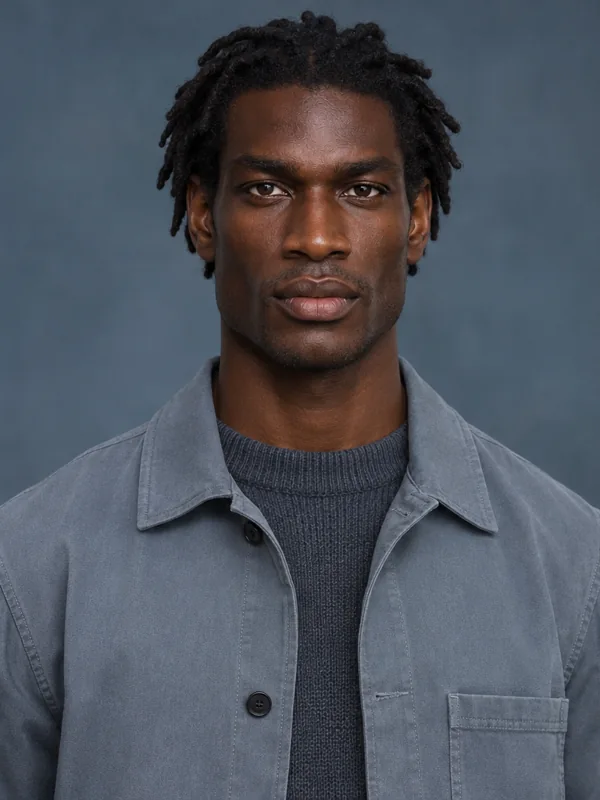
Yes, an AI chat can generate clothing photos
ChatGPT and Gemini are general-purpose assistants that also generate and edit images. You attach the garment photo, describe the model and the scene, and get an image back. For a single photo, it can work.
Modelliq also uses generative AI. In a chat, you describe what you need with each request. Studio walks you through the steps to create a photo of your garment.
What to check in any generated photo
Sellers need the photo to show the garment that will arrive at the customer's home. In the chat or in the studio, check before publishing:
- Print: design, scale and position match the garment.
- Buttons, zippers and pockets: the right number, in the right place.
- Color: the shade in the photo is close to the real shade.
- Length and fit: hem, sleeve and neckline.
- Tags, logos or text that don't exist on the garment.
Where the general-purpose chat takes more work
A store doesn't need one photo, it needs dozens that look consistent. In the chat, consistency between photos depends on what you write and attach in each request. To keep the same model, the same background and the same framing across the whole collection, you repeat the instructions and check that the result followed them.
Format becomes a request too: square for the Shopee cover, vertical for clothing on Mercado Livre and for Stories. Downloading, naming and organizing each garment's images is up to you.
What Modelliq Studio does for you
The Studio turns these precautions into fixed steps, so you don't have to rewrite everything for each garment:
- The photo of your garment is sent as a reference, always with the instruction to keep color, print, texture and fit.
- For the back view, you upload a photo of the back of the garment, so the AI doesn't have to invent what it hasn't seen.
- Each model in the catalog has reference photos sent with every generation, so the same model appears from one garment to the next.
- In Studio, 1 credit generates a 4-photo pack of the same garment, with the same model and the same scene.
- Format is a choice, not a request: Square, Portrait, Storefront, Landscape and Story/Reels.
- In Batch, upload garments together (limit: 20), with the same model and the same scene.
- Photos are kept in the Library, and the collection comes out as a ZIP file.
Adjustments without restarting the conversation
If a photo from a full photo pack comes out flawed, ask for a free redo of just that photo during review. If the problem persists, contact support.
To sell the same garment in other colors, write the color in the Style step: the model and the scene stay the same.
If the photo pack ends up incomplete, you can download the photos that were finished, if any. Check your statement to see what happened with the credit.
When to use each one
The general-purpose chat works well for ideas: testing a scene, drafting a post, imagining an editorial. For the store catalog, where dozens of garments need to be faithful to the real garment and follow the same standard, the Studio saves you the work of repeating the process by hand.
Eligible new sign-ups can try Studio free with a 3-pack allowance (total photos: up to 12), no card required. Test it on your best-selling garments and compare with what you already do.
Frequently asked questions
Can you make AI clothing photos in ChatGPT or Gemini?
Yes. Both generate and edit images from a photo and a text request. Check the print, buttons, color and fit before publishing, as with any generated photo.
What's the difference between Modelliq and an AI chat?
A chat is general-purpose: you build the product photo process anew with every request. Modelliq is a studio for fashion: the garment goes in as a reference with fixed instructions, catalog models repeat across photos, and format, angles, batch and download are already in the flow.
Do Modelliq photos always come out perfect?
No generative AI guarantees that. Check each photo. If the photo pack finishes incomplete, you can download the photos that were completed, if any. Check your statement to see what happened with the credit. If a photo in a complete photo pack comes out with a defect, request a free redo of the affected photo during review. If the problem persists, contact support.
Can I use the same model in all my store's photos?
Yes. Choose a model from the catalog and repeat it on your next pieces. On the Coleção, Ateliê, and Passarela plans, you can also use a photo of your own model.