
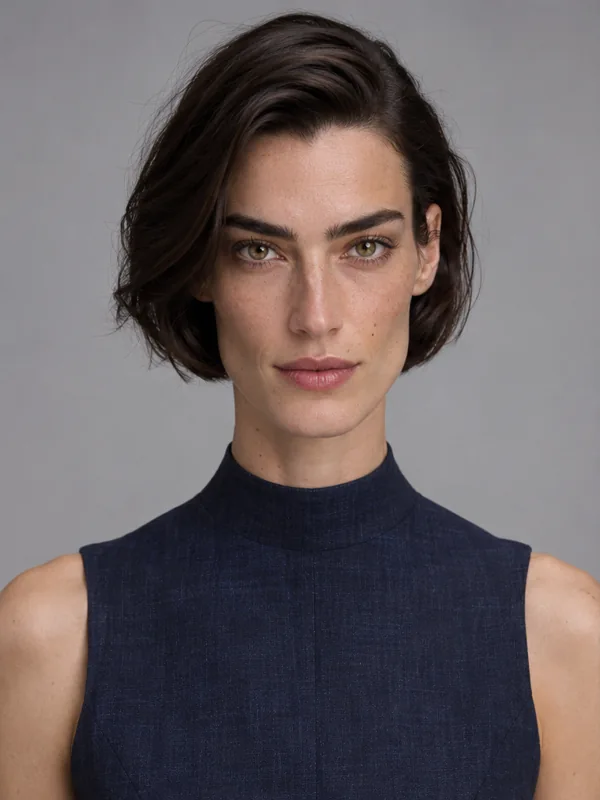
An entire collection with the same model
Same model, same scene and same aspect ratio across every garment: how to make the whole collection look like a single shoot.
Why consistency sells
When every photo has a different model, light and background, the customer sees separate pieces. When they all follow the same pattern, she sees a collection and a brand.
In a traditional shoot, that means photographing everything on the same day, with the same crew. With a virtual model, the pattern is a choice you repeat.
Define three things before generating
Decide before the first photo and write it down. Midway through the collection, the urge to switch tends to hit, and that switch is what breaks the pattern.
- The model: one per collection, or one per line (women's, men's, plus size).
- The scene: one for the cover photos and, if you want, a second one for campaign photos.
- The aspect ratio: square or vertical, depending on your main channel.
Generate the collection in a Batch
In Batch, you upload garments together (limit: 20) and apply the same model and the same scene to all of them. Each generated photo uses 1 credit, so you can know the cost before you start.
Generate one garment on its own before sending the rest. If the light or framing doesn't look right, it's cheaper to adjust it on one photo than on twenty.
The same aspect ratio across the whole feed
Choose between all vertical or all square. When formats get mixed, the Instagram grid and the store showcase end up misaligned, even if the photos are good.
If you sell on more than one channel, generate the garment in each format instead of cropping later. Cropping often cuts off the hem or the head.
Repeat it for the next collection
Studio saves your choices. For the next collection, you keep the model and change only the scene, or keep everything and your store gains continuity across seasons.
Brands with their own identity can go further: on the Coleção, Ateliê, and Passarela plans, you use your own model and your own space as the scene.
Deliver the finished collection
Once the photos are generated, download everything in a ZIP file to upload to your store, or share the catalog by link. Anyone who receives the link can view and download the photos without creating an account, which helps with wholesale and resellers.
Mistakes that break the pattern
Three slip-ups often appear when a collection is photographed bit by bit:
- Photographing some garments by day and some at night: the input color changes, and the output color changes with it.
- Switching models to "mix it up": the customer stops comparing the garments with each other.
- Using one scene per garment: the feed becomes a mosaic and the collection stops reading as a set.