
Segments · For Mercado Livre sellers
Clothing photos in the standard Mercado Livre asks for.
For clothing, Mercado Livre recommends the garment worn by a model, a light background with shadow and a vertical photo. Get off the hanger for the cover photo of each variation, with no photo shoot.
- 01
Off the hanger
The requirements note doesn't accept a garment on a hanger. Modelliq puts the garment on a model.
- 02
Light background, with shadow
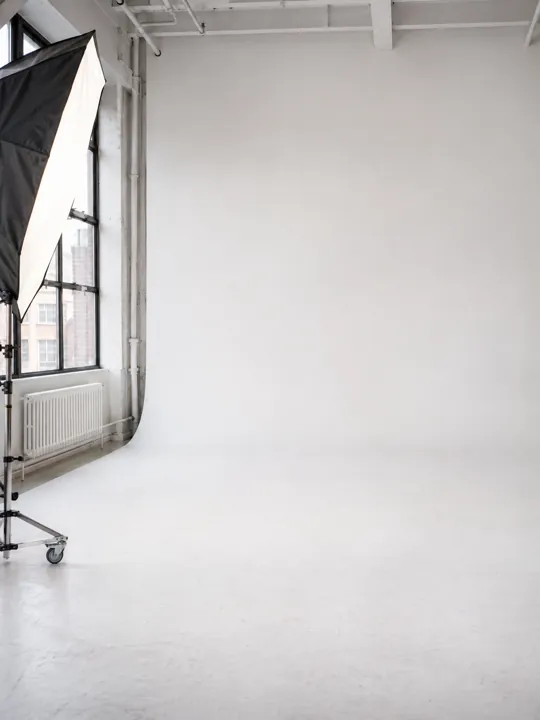
The Studio scene has a light wall and photo lighting, with no digital white cutout.
- 03
The angles on the list
Back, detail, and full-body views: the shots Mercado Livre asks for.
What the clothing requirements note asks for
In the Seller Center, Mercado Livre publishes photo requirements by garment type. For tops, such as blouses, shirts and jackets, the note recommends showing the garment worn by a model: the customer sees how the garment is worn, decides with more confidence and asks fewer questions.
The main points in the guidelines, accessed November 25, 2026:
- Plain background in neutral, light tones, like gray, cream or beige, keeping the shadows. A background with subtle texture is also fine.
- No digitally added white background or digital solid color.
- Garment centered, front view, whole and filling most of the image. With a model, from the thigh to a little above the head.
- No hanger, wrinkled or folded garment, other products, more than one model or selfie.
- No logo, watermark, border, QR code, text, contact details or measurements in the image.
From the hanger to the model
The hanger is exactly what the note asks you to avoid in the photo. In Modelliq, you photograph the garment on a hanger, on a mannequin or laid flat, and Studio generates the photo with the garment worn by a model from the catalog.
The photo of your garment goes in as a reference, with the instruction to keep color, print, texture and drape. By default, the front photo frames the model from mid-thigh up, close to the crop the note recommends.
For the cover photo, the Studio scene
For fashion, the note asks for a light background with shadow and advises against digitally added white. Modelliq's Studio scene is a studio room with a light wall: the model appears with the light and shadow of a real photo, with no cutout on pure white.
The note shows photos with lots of elements in the background as not allowed. Leave the street and travel scenes for supplementary photos and social media.
Vertical format, close to 1200 × 1540
For tops, the note calls for a vertical photo, with an ideal size of 1200 × 1540 pixels, so customers can zoom in without losing sharpness.
Of Modelliq's formats, the closest to that ratio is Vitrine (4:5). No format comes out at exactly that size: check the crop in the listing's own photo editor before publishing.
The angles that complete the listing
The guidelines allow up to 10 photos per variation and describe the shots that follow.
- Back: the same framing as the cover photo, with the back of the garment. Also upload the photo of the garment's back, so the AI doesn't invent the back.
- Detail: a close-up of part of the garment, to show fabric, print and finish.
- Full body: head to toe, without cropping the body, to show the length.
A cover photo for each color
The guidelines ask for a cover photo for each listing variation. If the garment comes in other colors, generate the same garment in the new color, with the same model and the same scene, and use each photo as the cover photo for its variation.
Only list the colors you have to deliver: the guidelines ask that the product appear exactly as it is, so the customer gets what they saw.
What about Mercado Livre's own AI?
The same note says that, in the listing's photo section, sellers can use Mercado Livre's artificial intelligence to generate the missing images.
Modelliq comes in before the listing: it turns the photo of the garment on a hanger into a photo with a model, in the same style for the whole store. The photos stay in your Library so you can also use them on your own store, on Instagram and on other marketplaces.
Frequently asked questions
Can I use a photo with a virtual model on Mercado Livre?
The clothing requirements note recommends showing the garment worn by a model and asks that the product appear exactly as it is. Modelliq starts from the photo of your real garment; check each photo before publishing.
Which Modelliq format should I use for clothing on Mercado Livre?
The note calls for a vertical photo, ideally 1200 × 1540 pixels. The closest format is Vitrine (4:5); check the crop in the listing's photo editor.
Can I use a white background for the clothing cover photo?
For tops, the note asks for a plain background in neutral, light tones, with shadow, and advises against a digitally added white background or digital solid color. In Modelliq, choose the Studio scene.
How many photos fit in each variation?
Up to 10 photos per variation, according to the note. A complete sequence: front cover photo, back, detail and full body, plus other scenes if you want.